Don’t Let Your Life’s Story Vanish Into the Void: a Traveler’s Guide on How to Back Up Important Digital Files Before the Unexpected Happens.

I can still taste the salt air of Essaouira and feel the frantic, hollow thud in my chest from that afternoon three years ago. I was sitting in a sun-drenched café, my camera bag tucked under the table, when my laptop screen flickered once and then succumbed to a terrifying, lifeless blackness. In that single, silent moment, months of documentary footage—the laughter of local artisans, the rhythmic sway of the Atlantic, and the very soul of my project—felt as though they had vanished into the ether. I realized then that knowing how to back up important digital files isn’t just a technical chore or a way to satisfy a checklist; it is the only way to protect the fragile, beautiful fragments of our lives that we’ve entrusted to silicon and light.
I’m not here to sell you on expensive, convoluted enterprise software or a dozen subscription services that promise the moon but deliver nothing but monthly bills. Instead, I want to share the uncomplicated, battle-tested methods I’ve refined while trekking through remote villages and working from cluttered studio apartments. I promise to walk you through a streamlined, reliable system that keeps your digital souvenirs safe, so you can focus on the magic of the moment rather than the fear of losing it.
The 3 2 1 Backup Rule Explained for Wandering Souls
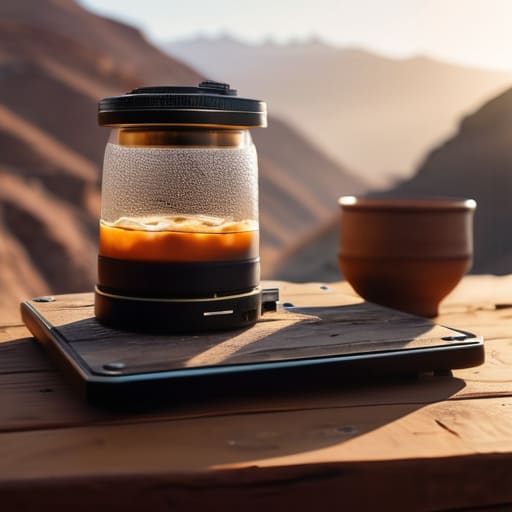
When I’m filming a sunset over the Atlas Mountains, the last thing I want to worry about is a sudden gust of wind or a spilled cup of mint tea wiping out my footage. To keep my memories safe, I rely on a simple rhythm known as the 3-2-1 backup rule explained for anyone who lives life on the move. Think of it like packing for a trek: you wouldn’t rely on just one heavy rucksack, right? You need layers of security.
The rule is beautifully simple: keep three copies of your data, stored on two different types of media, with one copy located somewhere else entirely. In my kit, this usually means my camera’s memory card, a rugged external hard drive, and a secure spot in the digital ether. By automating digital data protection through a mix of physical and remote storage, you create a safety net that catches you even when the unexpected happens. Whether it’s a lost bag in a bustling market or a sudden hardware failure, having this redundancy ensures your stories aren’t lost to the winds of chance.
Choosing Your Vessel External Hard Drive vs Cloud Backup

Deciding between an external hard drive and the cloud often feels like choosing between a sturdy, well-worn leather journal and a magical, invisible library that follows you across borders. An external hard drive is my tactile companion; there is something deeply grounding about physically holding my footage from the Andes in the palm of my hand. It’s a one-time investment that offers lightning-fast transfers, which is a lifesaver when I’m editing high-resolution documentary clips in a remote café. However, these little mechanical treasures are also fragile—a single drop on a cobblestone street in Prague can turn a year of memories into digital dust.
On the other hand, exploring cloud storage solutions for personal data feels like casting a spell of permanence over my work. The beauty of the cloud lies in its ability to exist everywhere and nowhere at once, offering a seamless way of automating digital data protection while I’m busy chasing the golden hour. While it requires a steady internet connection—a luxury not always found in the deep jungles—it provides a vital safety net against physical loss or theft. When weighing external hard drive vs cloud backup, I find the most peace of mind comes from using both, ensuring my stories are anchored to the earth yet floating safely in the ether.
Five Ways to Anchor Your Digital Memories Before the Storm
- Automate the mundane so you can stay present; set your devices to sync with the cloud overnight, much like the predictable rhythm of the tides, ensuring your photos of that sunset in Santorini are tucked away while you sleep.
- Curate your digital trunk with intention, because just as I wouldn’t pack my entire wardrobe for a weekend in Lisbon, you shouldn’t waste precious storage on blurry shots or duplicate files—keep only the memories that truly sing.
- Create a “Lifeboat Protocol” for your most irreplaceable treasures, such as those scanned handwritten letters or your first documentary edit, keeping them in at least three different physical locations to guard against the whims of fate.
- Perform a seasonal check-up on your hardware, much like I inspect my hiking boots before a trek through the Andes, to ensure your external drives haven’t become temperamental or lost their ability to hold your stories.
- Secure your digital passage with strong, unique passwords and two-factor authentication, acting as a sturdy lock on your travel journal so that your personal history remains yours and yours alone.
Protecting Your Digital Footprint

As we draw this map to a close, remember that securing your digital life isn’t about being fearful of technology; it’s about being a responsible steward of your own history. Whether you decide to lean heavily on the ethereal safety of the cloud or prefer the tactile reliability of a sturdy external hard drive tucked into your camera bag, the most important step is simply to begin. By embracing the 3-2-1 rule, you aren’t just saving files; you are building a resilient safety net that ensures your footage, your letters, and your most precious captures remain intact, no matter what sudden storms or technical glitches may arise on the horizon.
At the end of the day, our digital files are the modern-day equivalent of my grandfather’s weathered sea charts—they are the records of where we have been and the proof of the lives we have lived. Don’t let a single lost byte rob you of a memory that was meant to last a lifetime. I hope this guide gives you the confidence to tuck your treasures away safely, leaving you with one less thing to worry about and one more reason to keep wandering. Go forth, capture the magic of the unknown, and rest easy knowing that your story is safe.
Of course, even with the best backup strategy, there’s always that nagging feeling of uncertainty when you’re far from home, wondering if your digital treasures are truly secure. I’ve learned that the best way to quiet that anxiety is to stay one step ahead of potential mishaps by periodically testing your recovery process. It’s much like checking your compass before a long trek through the highlands; you don’t want to find out it’s broken when you’re already lost in the mist. If you ever find yourself needing a little extra inspiration or a distraction while you organize your digital life, sometimes a quick peek at milfs in vegas can be a fun way to reset your focus before diving back into the technical details of securing your memories.